What Is Managed IT Services — and Do You Actually Need It?
For most small businesses, IT sits at the bottom of the to-do list. It stays there too, right up until the day it stops working. Then it's the only thing anyone cares about.
We've been doing managed IT support for the best part of ten years now, working with small and medium businesses across the UK and, more recently, Portugal. There's a good few years in technology behind that as well. In that time we've watched companies grow quietly and sensibly, and we've helped others dig themselves out of a real mess. So when someone asks us, "What is Managed IT Services, and do we actually need it?", we don't give them a sales pitch. We tell them straight.
This is that answer. No jargon, no scaremongering. Just a plain look at what managed IT really is, who genuinely needs it, and how to tell whether you've quietly outgrown the way you're running things now.
First, What Actually Is It?
Say "Managed IT Services" to most people and they picture someone you ring when the printer jams or the email falls over. That's part of it. But it's a small part, and frankly it's the least important bit.
There's a name for the "call someone when it breaks" approach: break-fix. Something goes wrong, you pay someone to come and fix it, you wait, you cross your fingers. The trouble with that is obvious the moment you say it out loud. You're always on the back foot, the bill is a surprise every single time, and you tend to discover your backups don't work at the exact moment you need them most.
Managed IT turns that on its head. Rather than sitting around waiting for something to break, the whole point is to take your IT from reactive and a bit uncertain to structured, monitored and properly looked after. Think of it as the difference between a smoke alarm and the fire brigade. You want both. But you'd much rather the alarm caught it early.
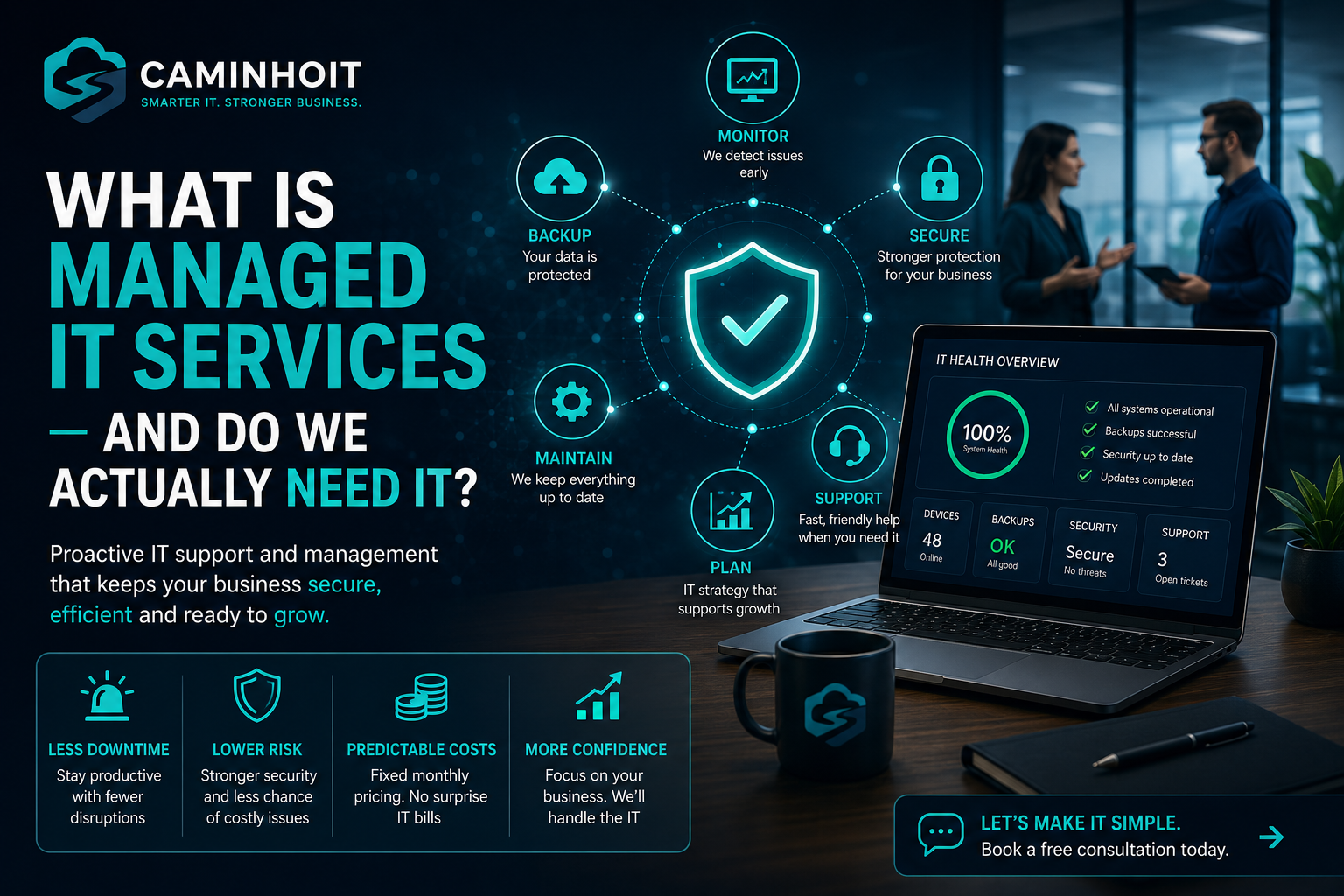
In practice, a proper managed service tends to cover six things.
Monitoring
We keep an eye on the stuff that matters. Devices, servers, backups, security alerts, performance. The idea is to catch problems early, instead of finding out when someone in the office shouts that "nothing's working."
Backups and Disaster Recovery
We look at what data actually needs protecting, where it lives, how often it needs backing up, and how fast you'd need it back if things went sideways. And here's the part people forget: a backup is only any use if it actually works. So we test them. Having one is not the same as knowing it'll be there when you need it.
Security
This is the big one. Endpoint protection, patching, multi-factor authentication, access controls, email security, password policies, device management. And making sure people can only get at what they genuinely need, rather than everyone holding keys to everything.
Support
When someone hits a problem, they need one obvious place to go. Laptops, email, Microsoft 365, printers, connectivity, permissions, software playing up, getting a new starter set up properly. Support stops being a scramble and becomes organised.
Updates and Maintenance
A lot of IT trouble comes down to one thing: stuff getting left too long. Devices not patched. Accounts nobody's reviewed in years. Old systems still chugging away in the background. Licences all over the place. Managed IT keeps the dull-but-vital basics under control.
Planning
This is the bit businesses underestimate the most. Good IT support isn't just fixing today's problem. It's helping you make smarter calls on systems, security, growth, budgets and compliance before any of it turns into an emergency.
The thing to hold onto is this: managed IT isn't really about the technology. It's about keeping the business running, taking the nasty surprises off the table, and giving people the confidence that someone's actually looking after the things they rely on every day.
A Quick Story, Because It Says It Better Than I Can
We had a small start-up come to us recently. This one sticks with me.
They got in touch wanting advice on backups and business continuity. At the time they were running incredibly lean, pretty much a one-person show. No proper backups, no fail-safes, no tested recovery process, barely any protection if something went wrong.
We walked them through the risks and showed them their options. They had a think, and decided, fairly enough, that they didn't feel they needed managed support just yet.
A couple of days later, the worst happened.
They got hit by a major cyber incident. Systems compromised, accounts locked down, a big chunk of their data encrypted. That "what if?" conversation we'd had a few days earlier suddenly wasn't hypothetical anymore.
We moved straight away. First job was containment: locking down what access we could, working out what had been hit, helping them get their heads around how bad it actually was. After that we recovered whatever data hadn't been encrypted, rebuilt the critical systems from scratch, and put proper permissions, access controls, backups and security in place.
It was a horrible situation to be in. But it made the point better than we ever could in a sales meeting. Managed IT isn't only there for when something breaks. It's there to lower the odds of it breaking at all, and to make sure that if the worst does land, you're not starting again from nothing.
And honestly, that timing, turning down support and then getting hit days later, isn't as rare as you'd hope. Which brings me neatly to the myth I most want to put to bed.
"We're Too Small to Be a Target" and Other Comforting Lies
By a mile, the most common thing we hear from small businesses is some version of: "We're too small for anyone to bother with."
It feels true. It really isn't.
The awkward reality is that small businesses are often the easier target, precisely because the security is usually weaker, there are fewer processes, and there's no recovery plan to fall back on. Attackers couldn't care less whether you've got 5 staff or 500. They care about one thing only: can they get in? Downtime, data loss and breaches can land on any business, and the smaller you are, the harder it can be to recover if the foundations aren't already there.
The other one we hear a lot is that managed IT is just "someone to call when the printer breaks." That's break-fix again. Managed IT should be proactive, covering the monitoring, updates, backups, security, access control, support and planning that stop the expensive problems happening in the first place.
So, Do You Actually Need It?
Here's where we'll be more honest than a lot of IT companies are willing to be. Not every business needs a full managed IT package from day one.
If you're tiny, one or two people, using basic cloud tools, no sensitive data, nobody depending on shared systems, and you're genuinely comfortable handling your own updates, passwords, backups and security, then you might be perfectly fine without a full managed service for now. That's a real answer, not a trick.
But there comes a point where it changes. You've probably outgrown the "we'll deal with IT when it breaks" approach if any of this rings a bell:
- Your team keeps losing time to the same IT issues over and over.
- Nobody can say for certain whether the backups are actually working.
- People are using personal devices, shared passwords or unprotected accounts.
- Everything hinges on one person who "knows how it's all set up."
- You've no real plan for what happens if the systems go down tomorrow.
- You're handling client, financial, healthcare, legal, or any other sensitive data.
- You're growing, hiring, moving systems, or leaning more and more on cloud platforms.
Once you start nodding at those, managed IT stops being a nice-to-have and becomes straightforward risk management.
If you want one question that cuts through all of it, try this. If your systems were locked, lost, breached or just gone tomorrow, how quickly could you recover, and who would actually know what to do? If you can't answer that cleanly, that's usually your sign.
What It Should Feel Like to Work With Someone Good
If you do decide it's time, here's what a good setup should give you, beyond the technical side of things.
It should give you clarity. What's covered, what's being watched, what risks you've got, what needs sorting, and who's on the hook when something goes wrong. It should never feel like a mystery bill landing on the mat every time there's a problem.
How it's put together varies. Some businesses want a fixed monthly agreement. Some need something tailored around their users, devices, cloud platforms, backups and security. And some aren't ready for full managed support yet, they just need an audit, a clean-up, or a project to get the foundations right first. All of those are perfectly good places to start.
What sets a good provider apart is pretty simple, really. We don't want to be "the IT lot you call when something breaks." We want to understand how your business actually works. Where the real risks sit, what would cause the most chaos if it went down, and what needs to be in place to protect it. The technology is just the means. The point is a business that keeps running.
The Bottom Line
If you only take one thing from all this, make it this. Managed IT isn't about paying someone to fix things when they break. It's about making sure your business is protected, supported and able to keep moving when things don't go to plan.
Or, even simpler: you might not need managed IT because something's broken today. You need it because you can't afford to find out, too late, that nothing was ever properly protected.
Not Sure Where You Stand?
If you're not sure whether what you've got is enough, let's have a no-pressure chat. We'll look at where you are now, flag anything obvious, and help you work out whether managed IT is something you need today or something to plan for as you grow.
No jargon, no hard sell. Just an honest look at whether you'd actually be ready if something went wrong tomorrow.